 Tideline
Type folders
A folder at the root that takes everything with one of its extensions, instead of the dated folder.
Switch on Installers and every .dmg,
.pkg, .mpkg, .iso and .app
lands in ~/Downloads/Installers/, whatever day it arrived on:
~/Downloads/
├── Installers/
│   ├── Figma.dmg
│   └── node.pkg
├── 2026-08-18/
│   └── invoice.pdf
└── report.pdf          ← downloaded today, stays put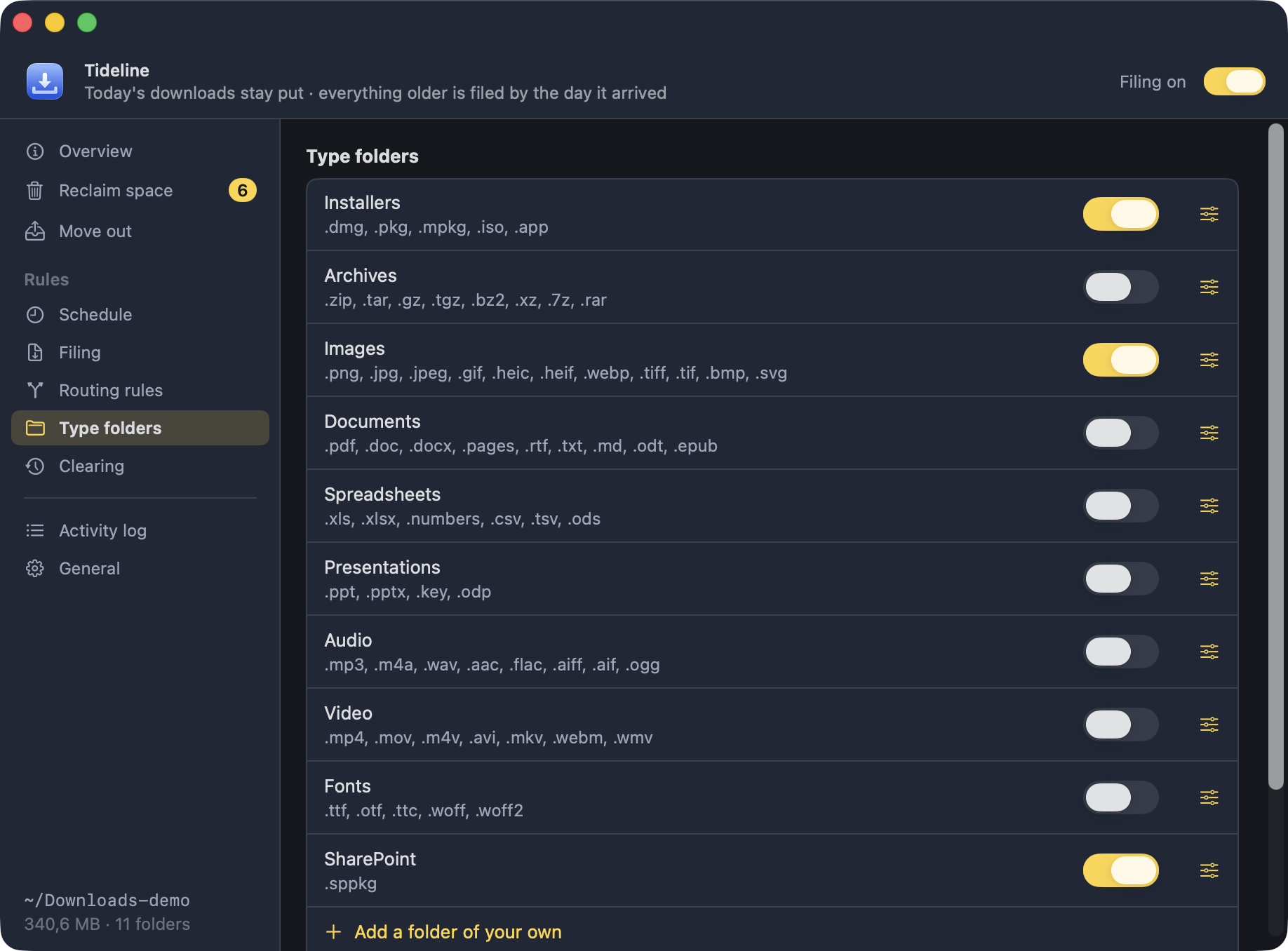
What ships, and what is on
The app comes with Installers, Archives,
Images, Documents, Spreadsheets,
Presentations, Audio, Video and
Fonts, all switched off — nothing changes until
you turn one on.
Any of them can be renamed or re-scoped, and Add a folder of your
own takes a name and a list of extensions
(torrent, magnet) for anything the list does not cover.
Catch Up
Switching a folder on only steers what arrives next — files already tucked into a dated folder stay there. Catch Up… brings them into line: it looks through the dated folders, shows you everything the rules now claim grouped by where it would go, and moves only what you leave checked.
A dated folder left empty by that goes to the Trash. Folders you made yourself
are never opened, and a name already taken in the type folder is never
overwritten — report.pdf arrives as report-1.pdf.
Where, not when
.dmg downloaded today still sits loose
in the root until it is older than the Leave loose in the root
window — it just goes to Installers/ rather than to a dated
folder when its time comes.
Three more things follow from that:
- Type folders are flat. They are never filed away themselves.
- Clearing never touches them — only dated folders are ever cleared.
- Where two folders claim the same extension, the one higher up the list takes it, and the window says so.