 Tideline
Schedule
Any combination of the three, or none of them — File Now is always there.
| Setting | What it does |
|---|---|
| As soon as the folder changes | Watches ~/Downloads and sweeps once things go quiet for 8 seconds |
| Once a day, at a time you pick | Default 00:05, so yesterday's files get filed on a quiet morning |
| When the app starts | Covers a scheduled run missed because the Mac was off |
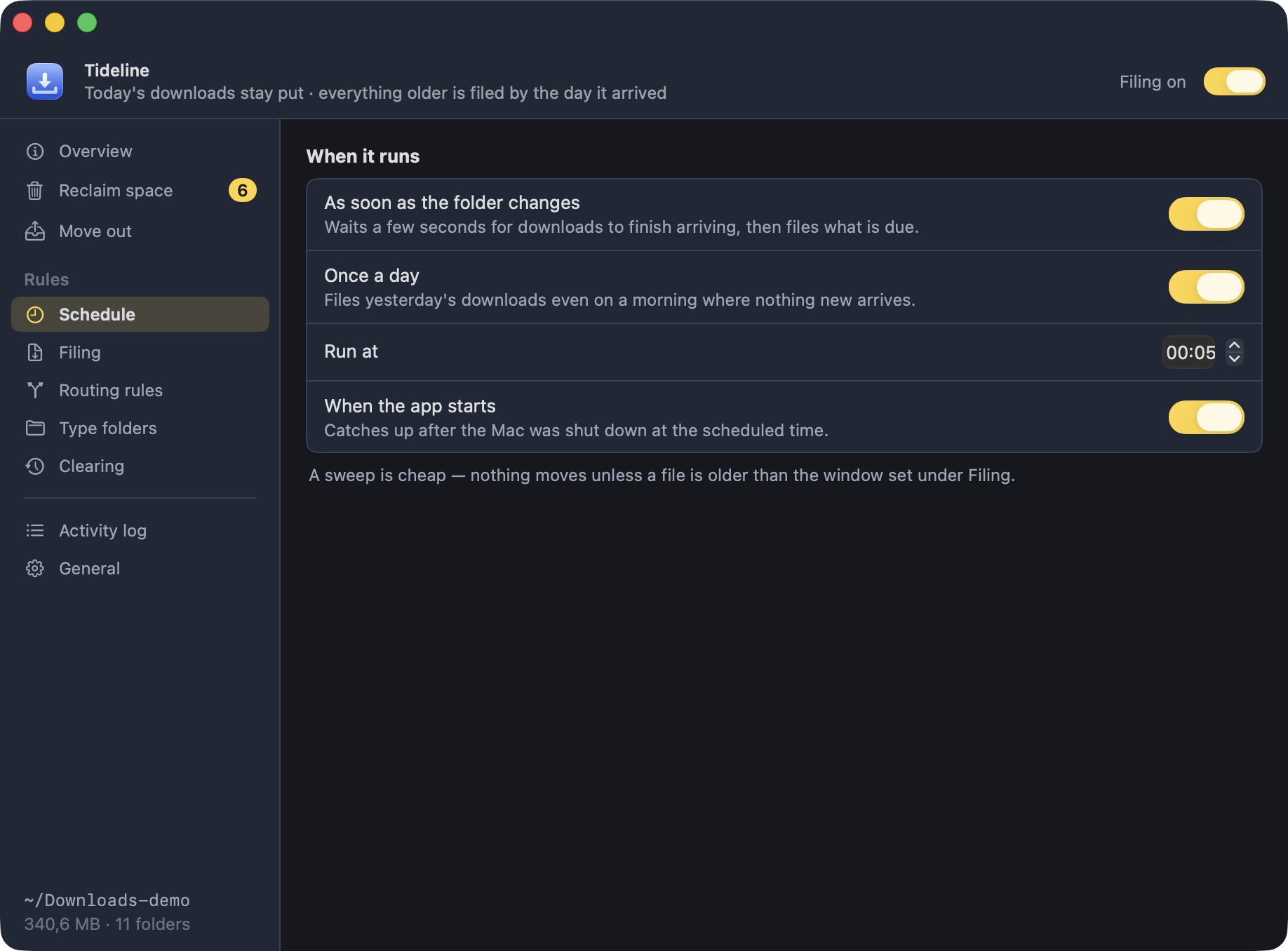
A run that is missed while the Mac sleeps fires as soon as it wakes.
Filing only happens while the app is running. That is what
Open at login on the
Overview and
General panes is for. Quitting Tideline really is
the end of it — there is no helper process left behind to keep sweeping.
The eight quiet seconds
Watching the folder does not mean sweeping the instant something lands. A download in progress is a file growing on disk, and moving it out from under the browser is the one thing a filing app must not do. So the watcher waits for things to go quiet, and even then the skip list holds anything written to in the last 30 seconds and every partial-download extension back for another round.
Clearing is deliberately not on this list
Clearing old dated folders can join the once-a-day run, but never a folder change — so a download landing can never trigger a removal.