 Tideline
First launch
Tideline starts knowing nothing about your Downloads folder, and files nothing until you press a button. This is what it asks, and why it asks in that order.
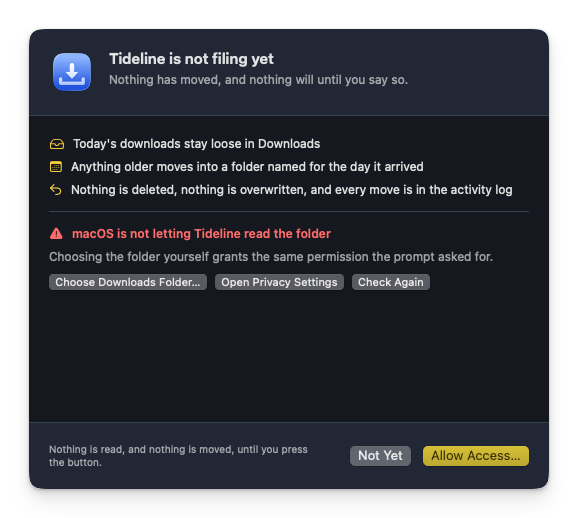
Tideline is not filing yet
The window opens on that line, and it is the whole state of the app: it has not read your Downloads folder, because reading it is what raises the macOS permission prompt — and a system alert that arrives before the app has introduced itself is a question with no context.
Allow Access… is what asks. The prompt is scoped to that one folder, and nothing else on the disk becomes readable by allowing it.
Allowing is not the same as starting
What it buys is a look. The sheet then says what a first sweep would actually do to your folder as it stands — 143 items would move into 12 folders, 4 stay loose — alongside the rule it would follow.
Start Filing files them and takes over from there. Not Yet leaves everything exactly where it is, and the same question waits on the Overview pane and in the menu bar.
If the prompt was refused
Answered with Don't Allow, or dismissed by accident, and the window shows an orange banner. Choose Downloads Folder… is the way back: macOS asks about a folder once and never again, but picking it yourself grants the same permission on the spot.
Failing that, switch on Downloads Folder for Tideline under System Settings › Privacy & Security › Files and Folders.
Opening at login
The window also offers to start Tideline at login, since filing only happens while the app is running. Open at Login switches it on; Not Now hides the suggestion for good. Either way the same switch stays on the General pane.